
Back
Contact us

10 Smart Wall Socket Buying Tips for Global Buyers

Buying a Smart Wall Socket is no longer a simple matter of matching voltage and color. Global buyers now compare safety, connectivity, energy data, installation, and long-term support. The IoT Analytics State of IoT report estimated 18.8 billion connected IoT devices worldwide in 2024. That growth makes compatibility more important, not less. A socket that works smoothly in one apartment may fail after a router change, firmware update, or regional frequency difference.

Tobin Richardson, CEO of the Connectivity Standards Alliance, describes Matter as “a common language for smart home devices.” That principle matters at the wall. Buyers should check Matter, Wi-Fi, Zigbee, or other protocol support before purchasing. They should also verify rated load, grounding requirements, child protection, overheating control, and certification for the destination market. A compact socket should not feel hot after running a heater. The app should show useful energy readings, not decorative numbers. The IEA’s Electricity 2024 report highlights rising global electricity demand, making practical monitoring increasingly valuable. Still, energy estimates can be imperfect. Treat them as guidance, not laboratory measurements.

This guide presents ten buying tips for distributors, contractors, property developers, and household users. It considers real installation conditions, including crowded back boxes, weak wireless signals, and different plug standards. Brand reputation helps, but it cannot replace a datasheet. The cheapest option may become expensive when support disappears. Even experienced buyers can miss one detail. Check twice before ordering.
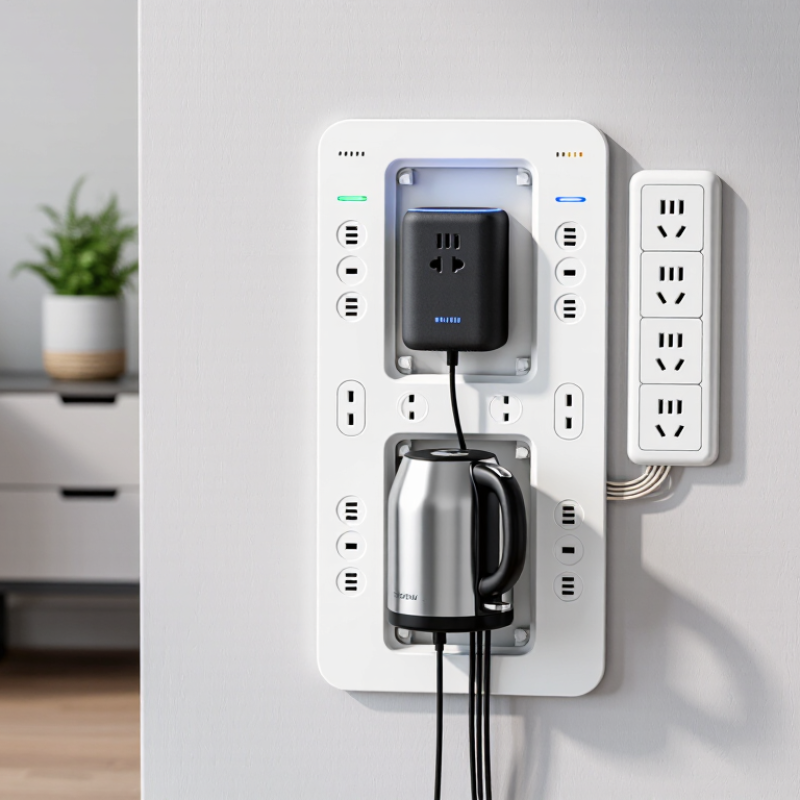
10 Smart Wall Socket Buying Tips for Global Buyers

Define Smart Socket Types, Loads, and Global Voltage Ranges: 100–240 V, 50/60 Hz

Smart wall sockets differ in form, wiring, and control method.

Plug-in models suit renters, while in-wall units need fixed installation. Relay-based designs may handle heavier equipment, but their internal switching limits still matter. Choose the socket type before comparing app features.

Voltage is the first technical checkpoint.

Global products may accept 100–240 V at 50/60 Hz, but not every model does. Check the product label, terminal markings, and installation guide. A 120 V heater should not be treated like a 230 V lamp. Frequency also matters for motors, timers, and some older appliances. Small differences can create real problems.

Review the rated current and maximum load in watts.

A 16 A rating does not guarantee safe operation with every device. Motors, pumps, and compressors create starting surges above their running current. Heat-producing appliances also demand long, continuous operation. During product checks, I compare both resistive and inductive loads, not only the headline number. The headline can mislead.

Confirm whether a neutral wire is required.

Many older wall boxes lack one. Measure the box depth, inspect the wiring, and leave space for heat dissipation. Use a qualified electrician for fixed installation and local compliance checks. I would also verify overload protection, grounding, operating temperature, and test documentation. A rushed choice may work on a desk, yet fail inside a crowded wall box.

Verify Safety Certifications and Standards: IEC 60884-1, UL 498, and CE

Safety certification is not decorative paperwork when buying wall sockets across borders. It helps confirm that the product was tested for electrical, mechanical, and fire-related risks. Look for evidence linked to IEC 60884-1, which covers household plugs and fixed socket outlets. Check the exact model, rated voltage, current, and test scope. A generic certificate may not cover every variation.

UL 498 is another important reference for receptacles used in relevant markets. Request a valid certificate, not only a printed mark on the socket body. The document should identify the manufacturer, product family, ratings, and testing organization. CE is different. It shows the manufacturer declares conformity with applicable European requirements. It is not, by itself, a universal safety test certificate.

I would also compare the certificate with the physical product. Inspect terminal screws, shutter movement, earthing contacts, and heat-resistant materials. A socket may carry a familiar marking yet fail to match the submitted sample. That happens more often than buyers expect. Ask for recent laboratory reports from a competent, independent testing body. Confirm whether national installation rules require extra protection, such as shutters or child-safety features. I once treated a neat compliance label as enough; that was a poor assumption. A careful review needs photos, documents, and sample testing before large-volume purchasing.

Match Rated Current, Power, and Protection: 10–16 A, 2,300–3,680 W

For global buyers, rated current and power must match the local voltage. At 230 V, a 10 A socket supports about 2,300 W, while a 16 A socket reaches roughly 3,680 W. The calculation is simple: power equals voltage multiplied by current. However, a 16 A label does not guarantee safe operation everywhere. Voltage, wiring quality, ambient heat, and installation rules also matter. Numbers need context.

Tip: Check the socket, plug, cable, and circuit together. A high-power heater can approach the full 3,680 W limit for hours, creating heat at loose terminals. For continuous loads, leave practical headroom and follow local electrical codes. IEC 60884-1 provides widely used safety requirements for household plugs and socket-outlets, but national certification may add stricter tests.

The IEA’s Electricity 2024 report forecasts global electricity demand to grow by an average 3.4% annually from 2024 to 2026. More demand increases the importance of reliable connection points, especially in kitchens, offices, and charging areas. Look for overload protection, child safety shutters where required, secure terminals, and suitable ingress protection in damp locations. RCD or GFCI protection may be required upstream, depending on the installation. It is easy to overtrust a printed rating. A careful buyer checks the test report, temperature-rise data, conductor size, and installation instructions before purchase.

Evaluate Wireless Compatibility: 2.4 GHz Wi-Fi, Zigbee, Matter, and Thread

When buying smart wall sockets across markets, wireless compatibility deserves more attention than appearance or advertised power ratings. A socket may fit local wiring yet fail during setup because a home router uses a crowded 2.4 GHz band. This frequency travels through walls better than 5 GHz, but interference from older devices can cause delayed control. Test the socket near its final outlet, not only beside the router. Small distance matters.

Zigbee suits installations with several low-power devices and usually needs a compatible coordinator or hub. Its mesh network can become stronger as powered devices repeat signals, although one missing router device may weaken a distant room. Matter improves cross-platform interoperability, but it is not a radio standard by itself. Check whether the socket uses Matter over Wi-Fi or Matter over Thread. The distinction affects setup, range, and required border-router equipment. Thread normally offers efficient mesh communication, yet coverage depends on powered Thread devices placed between rooms.

Ask for supported frequencies, security updates, pairing limits, and offline behavior before ordering. Regional Wi-Fi channels and electrical standards can differ, so confirm both the radio specification and socket certification for the destination. In practical testing, I would switch the internet off and operate the socket locally. Does it respond? This simple check reveals dependence on cloud services. I have also learned that “works with” claims can be vague; firmware versions and app permissions sometimes change the experience. Leave room for doubt, and verify the complete network path before buying.

10 Smart Wall Socket Buying Tips for Global Buyers - Evaluate Wireless Compatibility: 2.4 GHz Wi-Fi, Zigbee, Matter, and Thread

Buying Tip / Evaluation Dimension 2.4 GHz Wi-Fi Zigbee Matter Thread Buyer Check
1. Identify the actual wireless technology A wireless LAN technology operating in the 2.4 GHz band. A low-power mesh networking protocol commonly using IEEE 802.15.4 at 2.4 GHz. An application-layer standard; it is not itself a radio frequency or physical network. An IPv6-based mesh network built on IEEE 802.15.4, normally at 2.4 GHz. Do not treat “Matter” as a replacement for Wi-Fi or Thread. Confirm which transport the socket supports.
2. Check hub or border-router requirements Usually connects directly to a home Wi-Fi access point and may not require a dedicated hub. Normally requires a compatible Zigbee coordinator or hub. Matter over Wi-Fi or Ethernet may use a controller; Matter over Thread requires a Thread Border Router. Requires a Thread Border Router for connection to the home IP network or wider smart-home system. Verify whether the required controller, hub, or Border Router is included or must be purchased separately.
3. Confirm network compatibility Many products support 2.4 GHz only; some setup processes may fail when a router combines 2.4 GHz and 5 GHz under one network name. Does not join the home Wi-Fi network directly; it communicates through its Zigbee coordinator. Can operate over Wi-Fi, Thread, or Ethernet, depending on the product implementation. Uses a separate low-power mesh and does not connect directly to a standard Wi-Fi access point. Ask for supported bands, transport types, router requirements, and commissioning method before ordering.
4. Evaluate mesh networking The socket generally communicates with the Wi-Fi access point rather than forwarding traffic for other sockets. Supports mesh networking, allowing mains-powered devices to help route messages. Matter can use an underlying mesh or non-mesh transport; mesh behavior depends on Thread when Thread is used. Designed as a self-healing IPv6 mesh; powered wall sockets can help extend network coverage. For larger homes, assess access-point placement for Wi-Fi or the number and location of powered mesh nodes for Zigbee and Thread.
5. Compare internet dependence Local control may be available, but many products depend on an internet service for remote access or cloud features. Local automation can continue through the coordinator, even if internet access is unavailable, subject to the system design. Local control is supported by the standard, but the final experience depends on the controller and application. Supports local IP connectivity, but remote access still depends on a suitable controller and internet connection. Check whether schedules, manual control, and automation continue during an internet outage.
6. Review interoperability claims Compatibility varies by product software, app, cloud service, and supported integration method. Interoperability depends on the coordinator, device profile, and supported Zigbee functions. Designed to improve cross-platform interoperability among compatible smart-home ecosystems. Provides IP connectivity, but the socket still needs Matter support at the application layer for Matter control. Look for the exact Matter device type, supported commands, and transport combination—not only a general protocol label.
7. Consider power consumption Typically requires more standby power than low-power mesh radios because it maintains Wi-Fi network connectivity. Designed for low-power operation; mains-powered sockets can remain continuously available as mesh routers. Matter does not define the radio’s power consumption; the underlying Wi-Fi, Thread, or Ethernet design determines it. Designed for low-power networking, while a mains-powered socket can provide a reliable always-on mesh node. Request measured standby consumption and test conditions instead of relying only on protocol descriptions.
8. Assess security and updates Security depends on Wi-Fi encryption, account protection, firmware quality, and the product’s cloud architecture. Uses network security mechanisms, but implementation and key management depend on the coordinator and device. Uses authenticated commissioning and encrypted operational communication when implemented according to the specification. Uses security features from IEEE 802.15.4 and Thread network mechanisms; product implementation remains important. Confirm secure commissioning, signed firmware updates, update support period, and a documented vulnerability process.
9. Check regional electrical compliance Wireless compatibility does not guarantee electrical compatibility. The same protocol may be used in sockets with different voltage, frequency, and outlet formats. Matter certification does not replace local electrical safety approval. Thread compatibility does not determine mains voltage, plug format, or load rating. Verify rated voltage, line frequency, maximum current, outlet format, grounding, temperature rating, and required local approvals.
10. Validate installation and long-term support Setup may be simple, but Wi-Fi credentials and router changes can affect commissioning. Installation depends on coordinator compatibility, network channel planning, and device joining procedures. Commissioning may use QR codes or setup codes, but controller support and firmware versions must align. Requires a compatible Thread network and Border Router; multiple Border Routers may improve resilience when supported. Request installation instructions, reset behavior, firmware-update policy, spare availability, and technical support terms.

Technical note: Matter is an application-layer standard that can run over Wi-Fi, Thread, or Ethernet. Zigbee and Thread commonly use the 2.4 GHz IEEE 802.15.4 radio, while Wi-Fi products typically connect through a 2.4 GHz wireless LAN. Actual performance depends on the device design, installation environment, network configuration, and regional regulations.

Compare Energy Monitoring Accuracy, Privacy Controls, and Warranty Coverage

For global buyers, energy monitoring accuracy deserves more than a polished app screen. The International Energy Agency’s Energy Efficiency 2023 report says annual efficiency improvement must rise from about 2.2% to over 4% by 2030. Small errors can therefore distort savings decisions. Check the stated accuracy range, sampling interval, and minimum measurable load. IEC 61557-12 also provides performance requirements for electrical measuring devices. Compare readings with a calibrated plug-in meter, not only the displayed percentage. A perfect dashboard can still be misleading.

Privacy controls should be tested like electrical features. The NIST Privacy Framework recommends data minimization, user control, and clear processing purposes. Look for local data storage, optional cloud access, separate guest permissions, and a physical reset method. Review whether usage records include timestamps, room names, or occupancy patterns. Disable unused integrations. I sometimes find privacy menus confusing, which is a warning sign rather than a minor inconvenience.

Warranty coverage can reveal product quality and seller reliability. Record the coverage period, replacement process, shipping responsibility, and exclusions for overheating or installation errors. In the European Union, consumer goods generally carry a minimum two-year legal guarantee, but this protection does not automatically apply worldwide. Ask whether support remains available after an international purchase. Keep invoices and test records. Marketing promises are easy; a clear claim procedure is harder.